
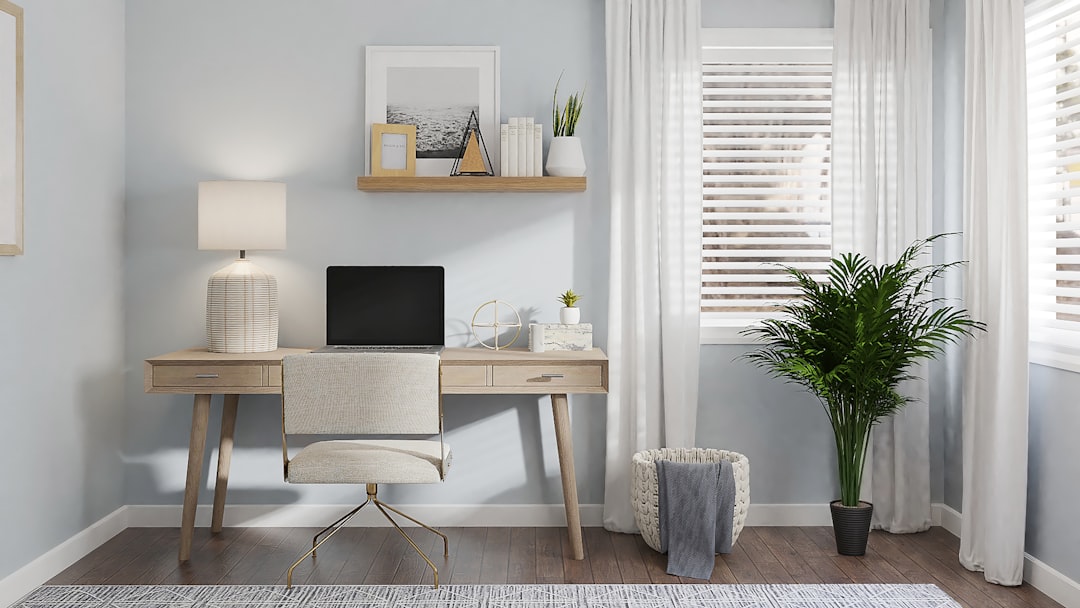
Creating an Efficient Home Office
Establishing a home office that is both functional and productive requires careful planning and consideration of various elements. The goal is to design a workspace that minimizes distractions, supports workflow, and promotes well-being. This article outlines key considerations for creating an efficient home office, covering aspects from location and furniture to technology and personal habits.
The modern home office has evolved from a niche concept to a necessity for many individuals. The ability to work remotely offers flexibility and autonomy, but it also presents challenges in maintaining focus and separating professional life from personal life. An effective home office is not merely a desk in a corner; it is a deliberate environment tailored to your specific work requirements and personal preferences. Think of your home office as a well-oiled machine, where each component works in harmony to achieve optimal output.
Choosing the right spot within your home is foundational to building an efficient workspace. The location impacts noise levels, access to natural light, and the degree of separation from household distractions.
Minimizing Distractions and Maximizing Focus
The primary objective in selecting a location is to find an area that offers the best chance for sustained concentration. This usually means a space with minimal foot traffic and ambient noise.
Dedicated Room vs. Shared Space
Ideally, a dedicated room offers the clearest delineation between work and home. A separate room acts as a psychological boundary, signaling to both yourself and other household members that when you are in this space, you are engaged in work. This boundary is crucial for mental compartmentalization. If a dedicated room is not feasible, consider a corner of a less-used room, such as a spare bedroom or a quiet section of a living area. Even a well-defined nook can be transformed into a productive zone.
Proximity to Amenities and Utilities
Consider the practicalities of your chosen location. Is there easy access to power outlets for your electronic devices? Proximity to a reliable internet connection point is also essential. Think about the flow of your workday. Do you frequently need to access printers, scanners, or filing cabinets? Convenience in this regard can save valuable time.
Noise Management and Soundproofing
Noise is a significant disruptor of focus. Evaluate the potential for noise pollution from within the home (e.g., children playing, household appliances) and from outside (e.g., traffic, neighbors).
Acoustic Considerations
Simple measures can mitigate noise. Soft furnishings like carpets, rugs, and curtains can absorb sound. Consider installing acoustic panels if noise is a pervasive issue. Even strategically placed bookshelves filled with books can act as informal sound dampeners.
Utilizing Existing Architectural Features
Doors and windows are natural gateways for sound. Ensure doors seal properly to block noise. Double-glazed windows can offer superior insulation against external sounds. If necessary, consider using a white noise machine or ambient sound generator to create a consistent auditory environment that masks unpredictable noises.
In today’s evolving work environment, many professionals are adapting to the home office setup, which can present unique challenges and opportunities. For those interested in optimizing their online business operations while working from home, it’s essential to understand common pitfalls that online merchants face. A related article that highlights these issues is available at 16 Mistakes Online Merchants Make. This resource provides valuable insights that can help home-based entrepreneurs avoid costly errors and enhance their business strategies.
Ergonomic Workspace Design
Ergonomics is the science of designing and arranging things that people use, so that they can use them easily and safely. In an efficient home office, ergonomics is paramount for comfort, health, and long-term productivity. Investing in good ergonomic equipment is like investing in a high-performance engine for your work.
The Foundation: Desk and Chair Selection
Your desk and chair are the physical anchors of your workspace. Their design and fit directly influence your posture and comfort.
Desk Height and Surface Area
The ideal desk height allows your elbows to rest at a 90-degree angle while your forearms are parallel to the floor when typing. A desk that is too high or too low can lead to strain on your shoulders, neck, and wrists. The surface area should be sufficient to accommodate your computer, essential documents, and writing materials without feeling cluttered. Consider adjustable-height desks, also known as sit-stand desks, which offer the flexibility to alternate between sitting and standing throughout the day. This can reduce sedentary behavior and improve circulation.
Chair Support and Adjustability
A good office chair is crucial for spinal health. Look for chairs that provide adjustable lumbar support to maintain the natural curve of your spine. Features like adjustable armrests, seat depth, and height are important for personalized comfort. The chair should allow your feet to rest flat on the floor or on a footrest, with your thighs parallel to the ground. A chair that promotes good posture prevents fatigue and reduces the risk of musculoskeletal issues.
Lighting for Productivity and Well-being
Appropriate lighting can significantly impact mood, energy levels, and visual comfort. Poor lighting can lead to eye strain, headaches, and reduced concentration.
Maximizing Natural Light
Position your desk to take advantage of natural light whenever possible. Natural light boosts mood and reduces the reliance on artificial lighting, which can sometimes be harsh. Avoid placing your screen directly in front of a window, as glare can be a problem. Instead, position your desk so the window is to your side.
Task and Ambient Lighting
Supplement natural light with well-placed artificial lighting. Ambient lighting provides general illumination for the room, while task lighting, such as a desk lamp, focuses light on your immediate workspace, reducing shadows and glare on your screen. Opt for bulbs with a color temperature that mimics natural daylight (around 5000-6500 Kelvin) for general lighting, as this can promote alertness.
Peripheral Organization and Cable Management
A cluttered workspace can lead to a cluttered mind. Effective organization of your desk and the management of cables are often overlooked but vital for efficiency.
Desk Organizers and Storage Solutions
Utilize desk organizers such as trays, pen holders, and drawer dividers to keep frequently used items within easy reach. Vertical storage solutions, like wall shelves or monitor stands with built-in storage, can free up valuable desk surface area. For documents, consider a filing system that works for you, whether it’s physical filing cabinets or digital organization strategies.
Taming the Wire Jungle
Unsightly and tangled cables can be a constant source of frustration. Cable management solutions, such as cable ties, sleeves, clips, and under-desk trays, can neatly organize and conceal wires. This not only improves the aesthetic of your workspace but also reduces tripping hazards and makes it easier to plug and unplug devices.
Strategic Technology Integration
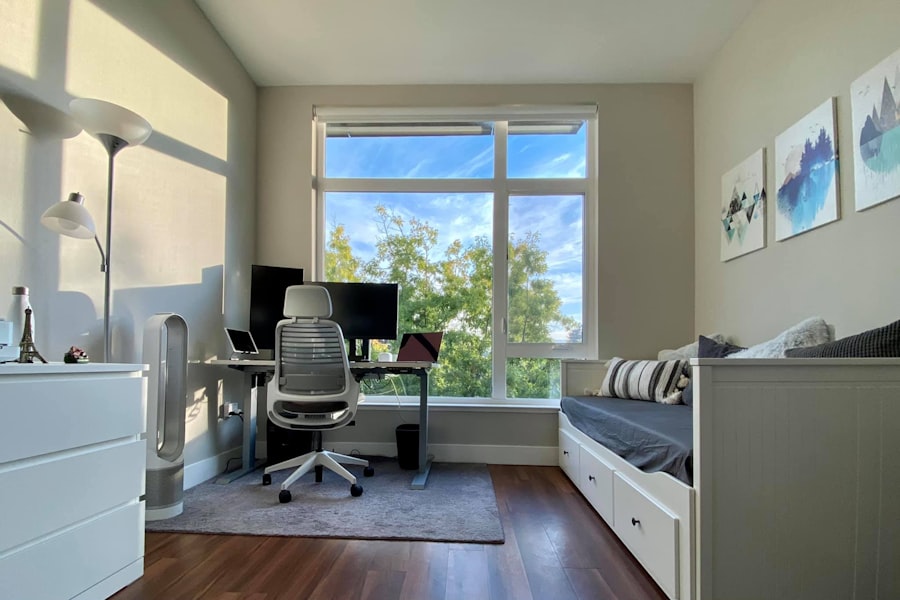
Technology is the engine of the modern home office, and its efficient integration is key to seamless operation. This section focuses on selecting and organizing the right tools to enhance your workflow.
Essential Hardware and Peripherals
The choice of hardware dictates the capabilities of your home office. Consider your specific tasks and bandwidth requirements.
Computer and Monitor Considerations
Your primary computing device should meet the demands of your work. For many, a laptop offers flexibility, while a desktop offers more power and customization. The monitor is your window into the digital world. A larger, higher-resolution monitor can improve productivity by allowing you to view more information at once. Consider a second monitor if your work involves multitasking or comparing documents.
Reliable Internet Connectivity
A stable and fast internet connection is non-negotiable. Invest in a high-speed internet plan that suits your needs.
Router Placement and Wi-Fi Strength
The placement of your Wi-Fi router significantly impacts signal strength throughout your home. Position it in a central location, away from obstructions like thick walls and large metal objects. If you experience weak signals in your office area, consider a Wi-Fi extender or a mesh Wi-Fi system to ensure consistent coverage.
Wired vs. Wireless Connections
While Wi-Fi is convenient, a wired Ethernet connection generally offers a more stable and faster connection. If possible, connect your primary workstation to the router via an Ethernet cable for critical tasks.
Software and Digital Organization
Beyond hardware, the software you use and how you organize your digital files are critical for efficiency.
Productivity Software Suite
Ensure you have access to a robust productivity software suite, whether it’s a paid option with advanced features or a capable free alternative. This typically includes word processing, spreadsheet, and presentation software.
Cloud Storage and Backup Solutions
Cloud storage services (e.g., Google Drive, Dropbox, OneDrive) provide accessible and often collaborative platforms for storing and sharing files. Regularly backing up your data, both to the cloud and to an external hard drive, is a crucial safeguard against data loss. Implement the 3-2-1 backup strategy: at least three copies of your data, on two different types of media, with one copy offsite.
Task Management and Collaboration Tools
For individual organization, task management apps (e.g., Todoist, Asana, Trello) can help you prioritize and track your to-do list. If you collaborate with others, explore project management and communication tools that facilitate seamless teamwork.
Cultivating Effective Work Habits

Technology and a well-designed space are only as effective as the habits you cultivate within them. This section addresses the personal strategies that enhance productivity and maintain a healthy work-life balance.
Establishing a Routine and Schedule
Consistency is the bedrock of productivity. Creating a defined routine helps signal to your brain when it’s time to work and when it’s time to switch off.
Setting Clear Work Hours
Define your working hours and adhere to them as much as possible. This helps prevent work from bleeding into personal time and vice-versa. Communicate these hours to your household members to manage expectations.
Implementing Breaks and Transitions
Regular breaks are essential for preventing burnout and maintaining focus. Schedule short breaks every hour or so to stand up, stretch, and rest your eyes. Longer breaks for lunch or to step away from your desk entirely can significantly improve overall productivity. Think of breaks as pit stops for refueling your concentration engine.
Minimizing Digital Distractions
The digital realm, while a source of productivity, is also a wellspring of distractions. Proactive measures are needed to combat this.
Notification Management
Turn off non-essential notifications on your computer and smartphone. Consider using “do not disturb” modes during deep work sessions. Schedule specific times to check emails and social media rather than reacting to every alert.
Website and App Blockers
If you find yourself frequently straying to distracting websites or apps, consider using website or app blocker software. These tools can temporarily restrict access to chosen sites or applications during your work hours.
Maintaining Physical and Mental Well-being
A healthy mind and body are crucial for sustained productivity. Your home office environment and habits should support this.
Incorporating Movement
Incorporate physical activity into your workday. This could involve short walks during breaks, stretching exercises, or even setting up a standing desk. Regular movement improves circulation, reduces stiffness, and boosts energy levels.
Creating a Healthy Environment
Ensure your workspace is well-ventilated and has good air quality. Consider incorporating plants, which can improve air quality and reduce stress. Maintain a comfortable temperature and humidity level.
As more professionals transition to a home office setup, the importance of maintaining a strong personal brand has never been more crucial. One effective way to achieve this is through the use of business cards, even in a digital format. For insights on how to navigate this shift, you can explore a related article that discusses the evolution of business cards in the digital age. This resource can provide valuable tips on how to effectively present yourself and your brand while working remotely. To learn more, check out this article on business cards in the digital age.
Ongoing Optimization and Personalization
An efficient home office is not a static entity; it is a dynamic space that evolves with your needs and preferences. Continuous evaluation and adaptation are key.
Regular Decluttering and Organization
Schedule regular times for decluttering and reorganizing your workspace. A quick tidy-up at the end of each day can prevent clutter from accumulating. Schedule a more thorough decluttering session weekly or monthly to reassess your systems and discard unnecessary items.
Adapting to Changing Needs
Your work requirements, technology, and even personal circumstances may change over time. Be prepared to adapt your home office setup accordingly. This might involve upgrading equipment, reconfiguring your desk layout, or adjusting your work habits.
Personalizing Your Space
While efficiency is the primary goal, personalization can also contribute to a more enjoyable and inspiring workspace.
Aesthetic Enhancements
Incorporate elements that make your space more pleasant, such as artwork, photos, or comfortable decorative items. These non-intrusive additions can foster a sense of ownership and make your office a place you look forward to spending time in.
Functional Customization
Beyond aesthetics, consider functional customization. This could include specialized lighting for detailed tasks, a comfortable reading chair for moments of reflection, or an ergonomic setup tailored to a specific physical need. The goal is to create a workspace that is not only efficient but also supportive of your overall well-being and work style. Your home office should be a reflection of your productivity and a sanctuary for your focus.