
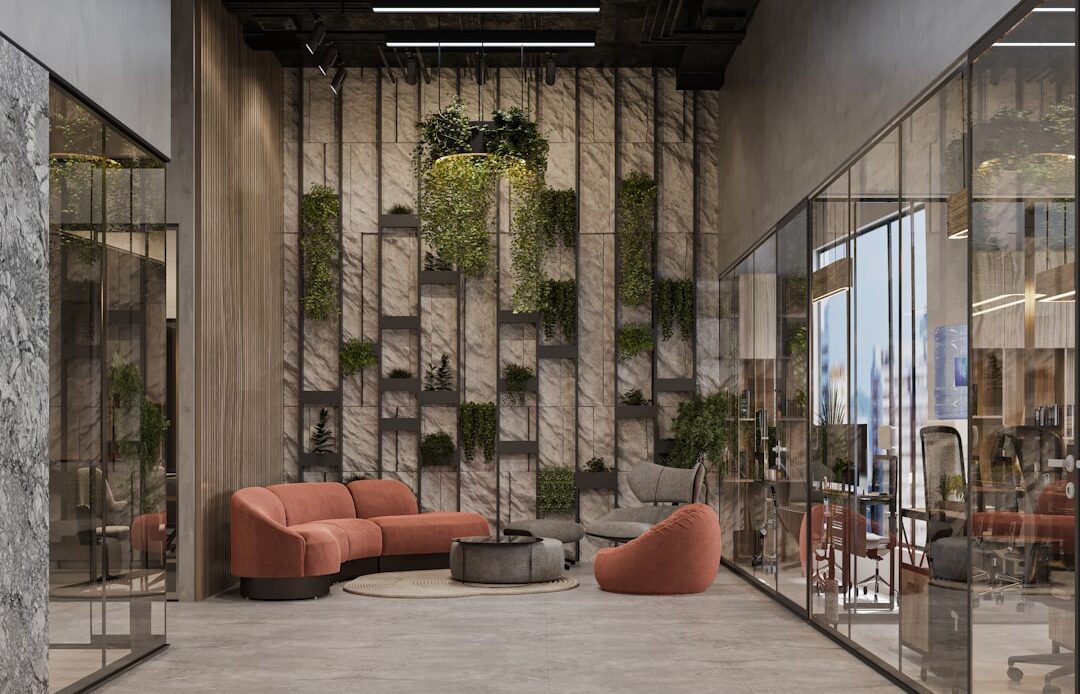
A well-designed office environment functions as the engine room of an organization, powering productivity and fostering employee well-being. This article explores key considerations for creating a workspace that balances functionality with comfort, ultimately contributing to a more effective and enjoyable work experience.
The physical arrangement of an office space is the bedrock upon which its productivity is built. A thoughtful layout facilitates movement, minimizes distractions, and supports various work styles. Think of it as the circulatory system of your office, ensuring that ideas and tasks flow smoothly without congestion or bottlenecks.
Understanding Workflow and Collaboration Needs
Before placing a single desk, analyze how work progresses within the organization. Identify tasks that require focused, individual attention and those that benefit from spontaneous interaction.
Analyzing Task Dependencies
Map out the sequences of tasks. Do certain teams consistently hand off work to others? Designing adjacencies for these teams can reduce time spent traversing the office and improve communication. For instance, placing the design team next to the development team can accelerate iteration cycles.
Identifying Collaboration Hotspots
Where do casual conversations and brainstorming sessions naturally occur? Understanding these informal gathering points can inform the placement of shared spaces, meeting rooms, and casual seating areas. Conversely, areas with high foot traffic might need to be buffered from zones requiring deep concentration.
Zoning for Different Work Modes
A one-size-fits-all approach to office design rarely serves a diverse workforce. Creating distinct zones caters to different activity preferences, allowing individuals to choose environments best suited to their current task.
Dedicated Quiet Zones for Deep Work
For tasks demanding intense focus, a quiet zone is indispensable. These areas should be acoustically treated to minimize noise and offer private or semi-private workstations. This is the sanctuary for tasks requiring deep concentration, akin to a well-stocked library for intense study.
Collaborative Hubs for Team Interaction
Conversely, areas designed for collaboration should encourage interaction. These might include open-plan desk arrangements, comfortable lounge areas with whiteboards, or readily accessible meeting pods. These are the town squares of your office, fostering synergy and idea exchange.
Transitional Spaces and Breakout Areas
Don’t overlook the importance of spaces that bridge different work modes. Small, informal seating areas can serve as impromptu meeting spots or places for a brief respite. These function as stepping stones between focused work and more active collaboration.
Maximizing Natural Light and Views
The integration of natural light is not merely an aesthetic choice; it has profound implications for employee mood, energy levels, and productivity. Sunlight is nature’s energizer.
Strategic Placement of Workstations
Positioning workstations to take advantage of natural light sources is paramount. Avoid placing direct glare from windows onto computer screens, which can cause eye strain. Utilize blind or shade systems to control light levels.
Incorporating Views of the Outdoors
When possible, provide employees with views of the outside environment. This connection to nature has been shown to reduce stress and improve overall well-being. Even a glimpse of greenery can be a powerful restorative element.
In the ever-evolving landscape of office design, understanding how to create an environment that fosters productivity and creativity is crucial. For insights on optimizing your workspace, you might find the article on search engine optimization for small businesses particularly relevant, as it highlights the importance of a well-structured online presence that can complement your physical office design. You can read more about it here: Search Engine Optimisation Tips for Your Small Business.
Ergonomics and Comfort: The Foundation of Physical Well-being
Ergonomics concerns the science of designing the workplace to fit the worker, not the other way around. Investing in ergonomic furniture and thoughtful design principles directly impacts employee comfort, reduces the risk of musculoskeletal disorders, and enhances sustained productivity. A poorly designed chair is like a poorly balanced scale; it inevitably leads to strain.
Selecting Ergonomic Furniture
The chair and desk are the primary interfaces between an employee and their work. Their design and adjustability are critical.
Adjustable Chairs with Lumbar Support
Chairs should offer a wide range of adjustability, including height, seat depth, armrest position, and backrest tilt. Crucially, they must provide adequate lumbar support to maintain the natural curve of the spine.
Sit-Stand Desks and Their Benefits
The ability to alternate between sitting and standing throughout the day is increasingly recognized for its health benefits. Sit-stand desks allow employees to adjust their working posture, reducing sedentary behavior and its associated risks.
Monitor Arms and Keyboard Trays
Proper monitor height and distance are essential to prevent neck and eye strain. Adjustable monitor arms allow for precise positioning. Similarly, ergonomic keyboard trays can ensure a neutral wrist posture during typing.
Addressing Lighting and Acoustics
Beyond natural light, the quality of artificial lighting and the management of sound are critical for a comfortable and focused environment.
Layered Artificial Lighting Solutions
A combination of ambient, task, and accent lighting can create a more adaptable and comfortable workspace. Ambient lighting provides general illumination, while task lighting focuses on specific work areas. Avoid harsh, fluorescent lighting that can contribute to headaches.
Sound Management Strategies
Noise is a pervasive productivity killer. Implementing sound-absorbing materials, such as acoustic panels or carpets, can significantly reduce reverberation and background noise. Consider the strategic placement of quiet zones and the use of white noise generators in open-plan areas.
Temperature and Air Quality Control
Maintaining an optimal temperature and ensuring good air quality are fundamental to employee comfort and cognitive function.
Maintaining an Ideal Temperature Range
Consistent and customizable temperature control is vital. Overly hot or cold environments can lead to discomfort, reduced concentration, and increased errors.
Ventilation and Air Filtration Systems
Adequate ventilation and effective air filtration systems contribute to a healthier indoor environment. Poor air quality can lead to fatigue, headaches, and decreased cognitive performance, effectively acting as a slow drain on an organization’s energy.
Incorporating Biophilic Design: The Power of Nature Indoors
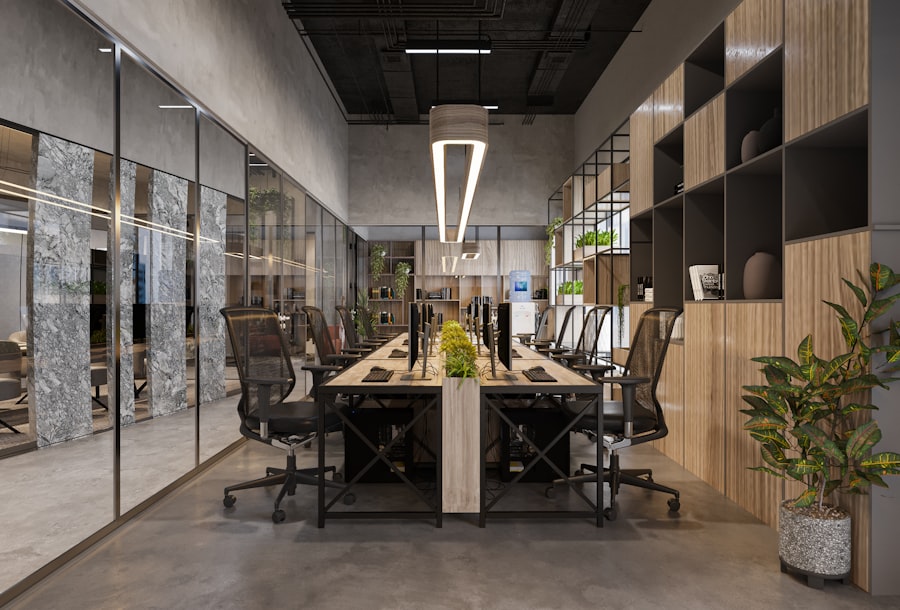
Biophilic design integrates natural elements and processes into the built environment, recognizing the inherent human need for connection with nature. This approach can transform a sterile office into a more calming and inspiring space.
The Benefits of Greenery in the Workspace
Plants are more than just decorative; they offer tangible benefits for both the environment and the people within it.
Improved Air Quality and Stress Reduction
Plants naturally filter airborne pollutants and release oxygen. Their presence has been linked to reduced stress levels, lower blood pressure, and improved mood. They are the lungs of the office, breathing life into the space.
Enhanced Focus and Creativity
Studies suggest that exposure to natural elements, including plants, can boost attention span and foster creativity. The visual appeal of greenery can also break up monochromatic environments and stimulate the senses.
Utilizing Natural Materials and Textures
The careful selection of materials can bring the tactile and visual qualities of nature into the office.
Wood, Stone, and Natural Fabrics
Incorporating elements like wooden furniture, stone accents, or natural fabric upholstery can create a warmer and more inviting atmosphere. These materials often possess inherent aesthetic qualities that promote a sense of calm.
Water Features and Natural Light Play
Subtle additions like small indoor water features can provide soothing sounds and a sense of tranquility. The interplay of natural light on textured surfaces can also add depth and visual interest.
Maximizing Views and Natural Patterns
Beyond direct incorporation, mimicking natural patterns and providing views can evoke similar positive responses.
Incorporating Views of Natural Landscapes
If direct outdoor views are not possible, consider using high-resolution imagery of natural landscapes for wall art or screensavers.
Mimicking Natural Forms and Patterns
The use of organic shapes and patterns in furniture or decor can subtly reinforce the connection to nature. Think curved lines rather than rigid angles.
Technology Integration: The Nervous System of Efficiency
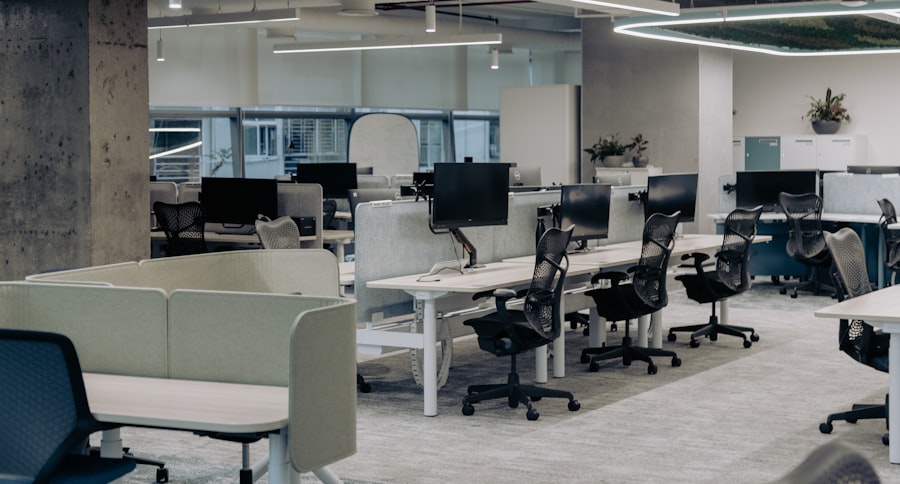
Technology is the invisible force that powers modern workflows. Thoughtful integration ensures that technology enhances, rather than obstructs, productivity and collaboration. It’s the nervous system, transmitting information and commands with speed and precision.
Strategic Placement of Power and Connectivity
Easy access to power outlets and network ports is a fundamental requirement for a functional workspace.
Accessible Power Outlets and USB Ports
Desks, common areas, and meeting rooms should be equipped with an abundance of easily accessible power outlets and USB charging ports. Clunky power strips are a sign of an underdeveloped nervous system.
Seamless Network Connectivity
Reliable and robust Wi-Fi coverage is non-negotiable. Consider the placement of access points to ensure strong signals throughout the entire office.
Integrating Smart Office Features
Advances in technology offer opportunities to create more responsive and efficient work environments.
Smart Lighting and Temperature Control
Automated lighting systems that adjust based on occupancy or natural light levels, and smart thermostats that learn user preferences, can optimize comfort and reduce energy consumption.
Digital Whiteboards and Collaboration Tools
Interactive displays and digital whiteboards can revolutionize brainstorming sessions and presentations, allowing for seamless sharing and annotation of ideas.
Cable Management and Technology Clutter Reduction
Visible and tangled cables detract from a professional aesthetic and can pose safety hazards.
Concealed Wiring and Cable Trays
Implementing effective cable management solutions, such as desk grommets, cable trays, and under-desk raceways, creates a cleaner and more organized workspace. This is akin to managing the arteries and veins, ensuring a clean and efficient flow.
Wireless Charging Stations
The convenience of wireless charging pads for compatible devices further reduces the need for physical cords.
In today’s fast-paced work environment, the design of office spaces plays a crucial role in enhancing productivity and employee satisfaction. A recent article highlights some fantastic small business marketing ideas that can also be applied to creating an inspiring workplace atmosphere. By integrating elements that promote collaboration and creativity, businesses can foster a more engaged workforce. For more insights on innovative strategies, you can read the article here.
Creating Flexible and Adaptable Spaces: The Office of the Future
The modern workplace is dynamic. Design should anticipate change and accommodate evolving work styles and needs. Flexibility is the key to future-proofing your office.
Modular Furniture and Movable Walls
The ability to reconfigure workspaces quickly is essential for adapting to changing team sizes or project requirements.
Adaptable Desks and Workstations
Modular desk systems that can be easily assembled, disassembled, or rearranged allow for rapid changes in office layout.
Movable Partitions and Folding Walls
Movable partitions or folding walls can transform large open areas into smaller meeting rooms or private offices as needed, offering a chameleon-like ability to adapt.
Encouraging Diverse Work Settings
Recognizing that not all work is best done at a traditional desk, providing a variety of work settings caters to different preferences and tasks.
Quiet Booths for Focused Work or Calls
Small, acoustically treated booths provide private spaces for individual focus or confidential phone calls, offering pockets of solitude.
Casual Seating Areas for Informal Meetings
Comfortable lounge areas with soft seating and low tables encourage relaxed, informal gatherings and brainstorming.
Stand-Up Workstations for Active Collaboration
Designated areas with high tables can facilitate quick, stand-up meetings that can be more dynamic and less formal than seated discussions.
Future-Proofing the Design
Anticipate technological advancements and shifts in work culture when making design decisions.
Scalable Infrastructure
Ensure that the underlying infrastructure, such as electrical and network capacity, can accommodate future growth and technological upgrades with minimal disruption.
User-Centric Design Principles
Prioritize user feedback and involvement in the design process. An office designed around the people who use it is more likely to be successful and adaptable in the long term. This is about building a vessel that can navigate the currents of change.